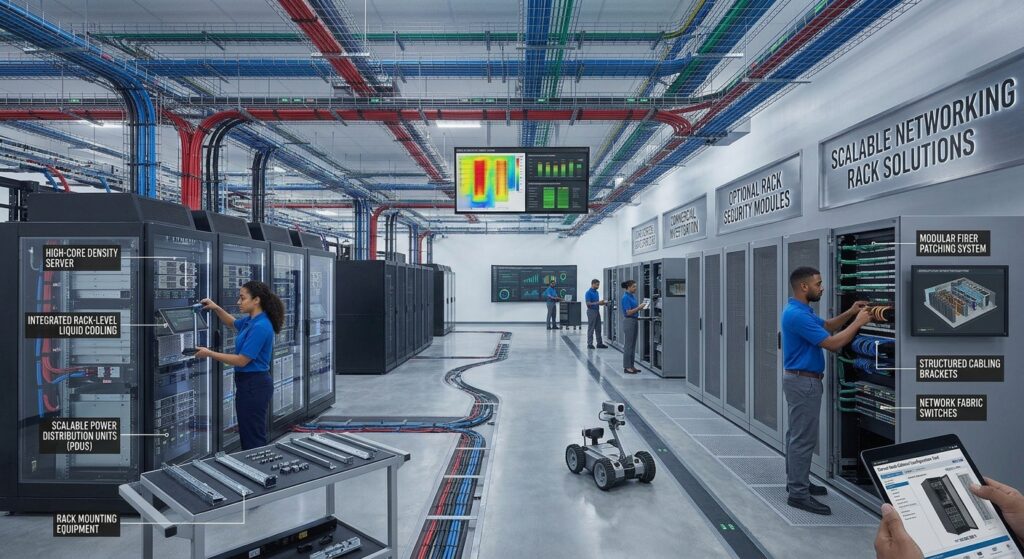
Dedicated server hardware is an important part of modern business IT infrastructure. Organizations use dedicated servers to host websites, run business applications, manage databases, support virtualization, and process large amounts of data.
Unlike shared hosting or virtual private servers (VPS), a dedicated server provides access to an entire physical server rather than a virtual portion of a shared machine. This gives businesses greater control over hardware resources, operating systems, storage configurations, and server management.
However, choosing the right dedicated server hardware requires more than selecting a processor with a high core count or installing additional memory. Businesses must evaluate CPU performance, RAM capacity, storage technology, network connectivity, hardware reliability, and future expansion requirements.
Understanding dedicated server components and specifications helps IT managers, hosting providers, and business owners compare available solutions and select hardware that meets their operational requirements.
What Is Dedicated Server Hardware?
Dedicated server hardware refers to the physical components of a server system that are allocated exclusively to one organization, customer, or workload.
A dedicated server can be purchased and operated by a business in its own infrastructure or rented through a dedicated hosting provider.
In dedicated hosting environments, the provider supplies access to an entire physical server, while the customer generally receives greater control over its computing resources than with shared hosting or VPS services.
The actual management responsibilities depend on the hosting agreement. Some providers supply unmanaged servers, while others offer managed services that include operating system maintenance, monitoring, and technical assistance.
Dedicated server hardware typically includes:
- Server processors (CPU)
- Registered ECC memory (RAM)
- Enterprise solid-state drives and hard drives
- Server motherboard and chipset
- Network interface cards
- RAID controllers and storage adapters
- Power supply units
- Cooling fans and thermal management
- Server chassis and expansion components
- Remote management controllers
These components work together to provide computing capacity, storage, networking, and system management.
Dedicated Server Hardware vs. VPS Hosting
One of the most important considerations when choosing dedicated server hardware is understanding the difference between physical dedicated servers and virtual private servers.
Both solutions can support websites, databases, applications, and business workloads, but their underlying infrastructure is different.
Dedicated Servers
A dedicated server provides access to the resources of an entire physical machine.
The customer can configure and manage the available hardware resources according to the server provider’s policies and the system’s capabilities.
Common advantages include:
- Exclusive access to physical CPU resources
- Full access to installed memory capacity
- Greater control over storage configuration
- Flexible operating system deployment
- Hardware-level customization options
- Suitable infrastructure for resource-intensive workloads
The main considerations are higher costs, physical hardware limitations, and potentially more complex capacity upgrades.
Virtual Private Servers (VPS)
A VPS operates as a virtual machine hosted on a physical server.
The physical hardware is divided into multiple virtual environments using virtualization technology. Each VPS receives an allocated amount of CPU, memory, and storage resources.
Common advantages include:
- Lower entry costs
- Easier resource upgrades
- Flexible virtual machine deployment
- Convenient management for smaller workloads
- Reduced hardware administration responsibilities
However, VPS customers do not have the same direct access to the underlying physical hardware as dedicated server customers.
Dedicated Server vs. VPS Comparison
| Feature | Dedicated Server | VPS |
|---|---|---|
| Infrastructure | Physical server | Virtual machine |
| CPU resources | Entire physical server capacity | Allocated virtual resources |
| RAM | Installed physical memory | Allocated virtual memory |
| Storage | Physical drive configuration | Virtual storage allocation |
| Hardware control | Greater control | Limited by virtualization platform |
| Customization | Hardware-dependent | Hypervisor-dependent |
| Scalability | Requires hardware resources or additional servers | Often easier through virtual resource allocation |
| Cost | Generally higher | Generally lower |
| Typical use | Resource-intensive workloads | Websites and smaller business applications |
Neither solution is suitable for every organization. Businesses should compare workload requirements, infrastructure costs, performance expectations, and operational responsibilities before making a decision.
Essential Dedicated Server Components
Understanding dedicated server components is necessary when comparing different hardware configurations.
Each component influences server performance, compatibility, and overall infrastructure capabilities.
1. Server CPU (Central Processing Unit)
The CPU is one of the most important components in dedicated server hardware.
It executes application instructions, processes requests, handles calculations, and supports multiple computing workloads.
Enterprise server platforms commonly use processor families such as:
- Intel Xeon
- AMD EPYC
These processors are designed for server and data center environments, although their specifications and supported features vary by generation and model.
When evaluating server processors, consider the following:
Processor cores
Core count determines how many processing cores are available to execute workloads.
Applications that support parallel processing may benefit from additional cores, while other applications may depend more heavily on per-core performance.
Clock frequency
Processor frequency describes the operating speed of CPU cores.
However, clock frequency alone does not determine total processor performance. Architecture, cache, memory bandwidth, and workload characteristics also matter.
CPU socket configuration
Some server platforms support one processor, while others support multiple processor sockets.
Dual-socket configurations may provide additional processing capacity and memory connectivity, but they require compatible processors, motherboards, and cooling solutions.
Cache memory
Processor cache provides fast access to frequently used data and instructions.
Cache capacity and architecture can influence application performance, particularly for workloads involving repeated data access.
Processor power requirements
CPU power consumption affects cooling requirements, electricity usage, and server power supply selection.
Buyers should verify the processor’s supported power range and the server platform’s compatibility before choosing a configuration.
2. Server RAM (Random Access Memory)
RAM provides temporary working memory for operating systems, applications, databases, and virtual machines.
Insufficient memory can restrict the number of applications or virtual machines a dedicated server can support.
Enterprise server hardware commonly uses ECC memory and registered DIMMs, depending on the supported platform.
ECC memory helps detect and correct certain types of memory errors.
Important memory specifications include:
- Total installed RAM capacity
- Maximum supported memory
- Number of DIMM slots
- Supported DDR generation
- Memory transfer speed
- ECC support
- RDIMM or 3DS RDIMM compatibility
- Memory channel configuration
The correct memory configuration depends on the server workload.
For example, virtualization platforms often require substantial RAM because multiple virtual machines share the physical memory resources of the host server.
Database systems may also require significant memory capacity to support caching and frequently accessed data.
Before purchasing, check the server manufacturer’s memory configuration guidelines. Not every DIMM type or capacity is compatible with every server model.
3. Server Storage: SSD, NVMe, and HDD
Storage systems determine how server data is stored and accessed.
Dedicated servers can support different combinations of solid-state drives and traditional hard drives.
Hard Disk Drives (HDD)
HDDs use magnetic storage technology and are commonly selected for applications requiring large storage capacity.
They can be useful for:
- File storage
- Backup repositories
- Archival data
- Large media libraries
SATA Solid-State Drives (SSD)
SATA SSDs use flash storage and provide faster data access than traditional mechanical hard drives in many common workloads.
They are suitable for general business applications, operating system storage, and other workloads that benefit from solid-state storage.
NVMe SSDs
NVMe drives use the NVMe protocol over PCIe connectivity.
They are commonly considered for applications that require high storage throughput and low access latency.
Potential applications include:
- High-performance databases
- Virtualization storage
- Transaction processing
- Large application workloads
- High-volume web hosting
Storage Comparison
| Storage Type | Main Characteristic | Common Applications |
|---|---|---|
| HDD | High-capacity magnetic storage | Archival and bulk storage |
| SATA SSD | Solid-state storage using SATA | General applications |
| SAS SSD | Enterprise storage using SAS connectivity | Enterprise storage environments |
| NVMe SSD | PCIe-based high-performance storage | Databases and intensive workloads |
Important storage specifications include drive capacity, interface, endurance, supported drive bays, hot-swap capabilities, and storage controller compatibility.
Businesses should also evaluate RAID support and independent backup requirements.
RAID can improve availability in certain drive failure scenarios, but it does not replace a dedicated backup and recovery strategy.
4. Server Motherboard
The server motherboard connects the processor, memory, storage controllers, network adapters, and other system components.
Its specifications determine which hardware configurations can be installed and supported.
Important motherboard characteristics include:
- CPU socket compatibility
- Supported processor generations
- Memory slot count
- Maximum memory capacity
- PCIe expansion slots
- Storage interfaces
- Integrated networking
- Remote management controller
- Firmware capabilities
A server motherboard must be compatible with the exact processor, memory modules, chassis, and expansion components being used.
Businesses should review the manufacturer’s technical documentation before purchasing additional components.
5. Network Interface Cards (NIC)
Network connectivity plays an important role in dedicated server performance.
A server may have powerful processors and substantial memory capacity, but inadequate network connectivity can limit communication with clients, applications, and storage systems.
Common Ethernet interface options include:
- 1 Gigabit Ethernet
- 10 Gigabit Ethernet
- 25 Gigabit Ethernet
- 40 Gigabit Ethernet
- 100 Gigabit Ethernet
Higher network speeds can be useful for applications involving large amounts of data transfer, virtualization, distributed storage, and high-traffic services.
However, the appropriate interface depends on the network infrastructure, switch capabilities, workload, and available provider connectivity.
When comparing dedicated hosting hardware, check both the physical NIC speed and the network connection included in the hosting plan.
These are not necessarily the same specification.
6. RAID Controller and Storage Management
RAID controllers manage storage configurations involving multiple drives.
Depending on the system, RAID can provide different combinations of performance, capacity, and redundancy.
Common RAID configurations include:
| RAID Level | General Characteristics |
|---|---|
| RAID 0 | Data striping without redundancy |
| RAID 1 | Data mirroring |
| RAID 5 | Striping with distributed parity |
| RAID 6 | Striping with dual distributed parity |
| RAID 10 | Mirroring combined with striping |
Not every RAID level is available or recommended for every hardware configuration.
Businesses should evaluate drive count, controller capabilities, rebuild behavior, usable storage capacity, and failure tolerance.
For systems using NVMe storage, verify whether the platform supports hardware RAID, software RAID, or another storage management architecture.
7. Power Supply and Cooling System
Power and thermal management are essential for dedicated server hardware.
A server’s processor, memory, storage, and expansion cards generate heat during operation.
The cooling system must maintain suitable operating temperatures under the expected workload.
Important specifications include:
- Power supply wattage
- Supported input voltage
- Redundant power supply support
- Hot-swap power supply capability
- Cooling fan configuration
- Airflow design
- Operating temperature limits
- Thermal management capabilities
Some enterprise servers provide redundant power supply configurations so that the system can continue operating during certain power supply failures.
However, actual availability depends on power source design, configuration, and other infrastructure components.
Businesses should evaluate power consumption and cooling requirements as part of their total server deployment costs.
Understanding Dedicated Server Specifications
Dedicated server specifications help buyers determine whether a particular hardware configuration is suitable for their workloads.
Rather than comparing only CPU models or total RAM, businesses should evaluate the entire configuration.
The following table shows important specifications to review when comparing dedicated servers.
| Specification | What to Evaluate |
|---|---|
| CPU | Model, cores, threads, frequency and socket support |
| RAM | Capacity, ECC support, generation and DIMM configuration |
| Storage | HDD, SATA SSD, SAS SSD or NVMe |
| Storage Capacity | Total installed and expandable capacity |
| RAID | Controller type and supported RAID levels |
| Network | NIC speed, ports and connectivity |
| PCIe | Available expansion slots and supported generations |
| Power Supply | Capacity, efficiency and redundancy |
| Remote Management | BMC, IPMI or manufacturer management platform |
| Chassis | Rack size, drive bays and expansion capacity |
A complete specification sheet is more useful than a short advertisement listing only the processor, RAM, and storage capacity.
Buyers should request the exact server model, configuration, and hardware inventory before committing to a purchase or hosting contract.
Enterprise Dedicated Servers: What Should Businesses Evaluate?
Enterprise dedicated servers are commonly considered for workloads that require substantial computing resources, hardware control, or specialized infrastructure configurations.
Examples include:
- Large business databases
- Enterprise application hosting
- Virtualization platforms
- High-traffic web applications
- Data processing systems
- Private cloud infrastructure
- Business-critical software platforms
When evaluating enterprise dedicated servers, businesses should prioritize more than raw hardware performance.
Hardware Reliability
Review the availability of supported redundancy features, ECC memory, replaceable components, and manufacturer-supported configurations.
Remote Management
Remote management allows administrators to monitor and control hardware without always requiring physical access.
Examples of server management technologies include:
- Dell iDRAC
- HPE iLO
- Lenovo XClarity
- IPMI
- DMTF Redfish-compatible management interfaces
Available functions depend on the hardware generation, controller, firmware, and licensing.
Hardware Security
Server security should include both physical and firmware-level considerations.
Important capabilities may include:
- TPM 2.0
- Secure Boot
- Firmware update verification
- Hardware inventory monitoring
- Secure remote management
- Platform firmware recovery features
NIST SP 800-193, Platform Firmware Resiliency Guidelines, provides guidance on protecting platform firmware, detecting unauthorized modifications, and supporting secure recovery.
Manufacturer Support
Enterprise deployments should also consider:
- Warranty period
- Technical support coverage
- Replacement component availability
- Firmware maintenance
- End-of-life policies
- Service response commitments
A server with attractive hardware specifications may not be a suitable long-term investment if replacement parts and technical support are difficult to obtain.
Dedicated Hosting Hardware vs. Owning a Physical Server
Businesses can obtain dedicated server hardware through two general approaches: purchasing physical equipment or renting a dedicated server from a hosting provider.
Both options provide access to dedicated physical computing resources, but ownership and operational responsibilities differ.
Purchasing Dedicated Server Hardware
When a business purchases its own physical server, it owns the equipment and can deploy it in an appropriate data center or private server facility.
Potential advantages include:
- Direct ownership of hardware
- Greater control over physical configuration
- Flexibility to choose infrastructure providers
- Control over hardware replacement schedules
- Ability to design custom server environments
However, ownership also requires consideration of equipment costs, data center space, power, cooling, networking, maintenance, and hardware replacement.
Renting Dedicated Server Hardware
Dedicated hosting allows businesses to rent a complete physical server from a provider.
The provider typically supplies the physical equipment, data center infrastructure, and network connectivity.
Depending on the service agreement, the customer may receive:
- Dedicated physical CPU resources
- Allocated physical memory
- Dedicated storage devices
- Network connectivity
- Remote management access
- Operating system installation options
- Optional managed support
The main advantage is access to physical server resources without purchasing and maintaining the entire data center infrastructure.
However, hardware changes, upgrades, and replacement procedures depend on the provider’s policies.
Ownership vs. Dedicated Hosting Comparison
| Factor | Purchased Hardware | Dedicated Hosting |
|---|---|---|
| Hardware ownership | Business owns equipment | Provider owns equipment |
| Initial investment | Usually higher | Usually lower |
| Physical maintenance | Business responsibility or outsourced | Provider-dependent |
| Hardware upgrades | Controlled by owner | Subject to provider options |
| Data center infrastructure | Must be arranged | Typically included |
| Monthly server rental | Not applicable | Usually applicable |
| Deployment flexibility | Depends on infrastructure | Depends on provider |
| Hardware replacement | Owner-managed | Provider-managed under contract |
The best approach depends on available capital, technical resources, deployment requirements, and long-term operating costs.
How to Choose the Right Dedicated Server Hardware
Selecting dedicated server hardware should begin with workload requirements rather than advertised specifications.
The following considerations can help businesses compare potential configurations.
1. Identify the Main Workload
Determine which applications and services will run on the server.
Different workloads require different hardware priorities.
| Workload | Main Hardware Priorities |
|---|---|
| Website Hosting | CPU, RAM, SSD and network connectivity |
| Database Hosting | CPU performance, RAM and storage latency |
| Virtualization | Memory capacity, CPU resources and storage |
| File Storage | Drive capacity, storage redundancy and networking |
| Game Server Hosting | CPU performance, RAM and network latency |
| Business Applications | Balanced CPU, memory and storage |
| Backup Infrastructure | Storage capacity and network throughput |
| Data Processing | CPU resources, memory bandwidth and storage |
This assessment helps prevent purchasing hardware that is unnecessarily expensive or unsuitable for the intended application.
2. Select the Appropriate CPU Configuration
Compare processor models based on workload requirements.
Evaluate core count, thread count, clock frequency, memory channels, platform compatibility, and power consumption.
For virtualization and parallel processing, core count may be important.
For applications that rely heavily on individual thread performance, per-core performance may be more relevant.
The exact processor should also be supported by the selected server platform.
3. Determine RAM Requirements
Estimate the memory required by the operating system and all applications.
For virtualization, include the expected memory allocation of virtual machines and additional capacity for the host system.
Check the maximum supported RAM and the available DIMM slots before selecting a configuration.
4. Choose the Right Storage Architecture
Determine whether the workload prioritizes capacity, speed, endurance, or redundancy.
A database server may require fast NVMe storage, while a backup system may prioritize high-capacity drives.
Also review supported storage controllers, drive interfaces, and future expansion options.
5. Evaluate Network Requirements
Check the required bandwidth and expected network traffic.
Consider interface speeds, number of network ports, bandwidth limits, data transfer allowances, and provider network policies.
For dedicated hosting, confirm whether the advertised network port speed is also the actual allocated connection speed.
6. Review Remote Management
Remote management can simplify server administration and hardware monitoring.
Check whether the server provides dedicated management interfaces and whether remote console access or advanced functions require additional licensing.
7. Compare Long-Term Costs
Evaluate both the initial hardware investment and recurring operational expenses.
Consider electricity, cooling, replacement parts, maintenance, support, network connectivity, and software licensing.
For rented dedicated servers, include monthly rental fees, setup costs, additional storage charges, bandwidth fees, and optional management services where applicable.
Total Cost of Ownership for Dedicated Server Hardware
Total cost of ownership (TCO) measures the overall financial commitment associated with acquiring, operating, and maintaining a server.
A server with a lower purchase price may not necessarily provide the lowest long-term cost.
Important cost categories include:
| Cost Category | Items to Consider |
|---|---|
| Hardware | CPU, RAM, motherboard and chassis |
| Storage | SSDs, HDDs and storage controllers |
| Networking | NICs, switches and connectivity |
| Power | Electricity and power distribution |
| Cooling | Fans and facility cooling |
| Maintenance | Replacement components and labor |
| Software | Operating systems and application licenses |
| Security | Monitoring and security infrastructure |
| Support | Warranty and technical assistance |
| Expansion | Future hardware upgrades |
For dedicated hosting, businesses should compare equivalent server specifications and service conditions.
For physical hardware purchases, organizations should consider expected equipment lifecycle and replacement costs.
Common Mistakes When Choosing Dedicated Server Hardware
Purchasing dedicated server hardware without evaluating the complete configuration can lead to unnecessary expenses and performance limitations.
1. Choosing the Highest CPU Core Count
A higher core count does not guarantee better performance for every application.
Processor architecture, clock frequency, cache, memory bandwidth, and workload characteristics also influence performance.
2. Underestimating Memory Requirements
Insufficient RAM can limit application capacity and virtualization performance.
Businesses should estimate both current and expected future memory consumption.
3. Choosing Storage Based Only on Capacity
Two drives with identical capacities can have different interfaces, performance characteristics, and endurance ratings.
Storage should be selected according to the actual workload.
4. Ignoring Network Limitations
A dedicated server may have a high-speed network card but a lower allocated network connection.
Verify the physical interface and the network service included in the agreement.
5. Overlooking Hardware Compatibility
Not every processor, memory module, drive, or expansion card is compatible with every server.
Use manufacturer compatibility documentation and approved configuration guidelines.
6. Ignoring Power and Cooling
High-performance processors, storage devices, and expansion cards can increase power and cooling requirements.
Verify that the deployment environment can support the selected server configuration.
7. Failing to Compare Support Terms
Warranty coverage, replacement procedures, and technical support can differ between manufacturers and hosting providers.
Review these terms before purchasing.
Conclusion
Dedicated server hardware provides businesses with access to physical computing resources for hosting applications, managing databases, supporting virtualization, and operating other demanding IT workloads.
The right configuration depends on processor performance, RAM capacity, storage technology, networking, hardware compatibility, and long-term operating costs.
Businesses evaluating dedicated server solutions should compare complete hardware specifications rather than focusing on individual components.
Whether purchasing physical equipment or renting dedicated hosting hardware, buyers should review the server’s CPU, memory, storage, network connectivity, remote management, support, and expansion capabilities.
A well-planned hardware selection process helps organizations build infrastructure that meets current operational requirements while providing a practical foundation for future growth.
Frequently Asked Questions
1. What is dedicated server hardware?
Dedicated server hardware refers to the physical computing equipment allocated to a single organization, customer, or workload. It includes the processor, memory, storage, motherboard, networking, power supply, and other server components.
2. What components are required for a dedicated server?
A dedicated server typically requires a compatible motherboard, CPU, RAM, storage drives, network connectivity, power supply, cooling system, and server chassis. Additional components depend on workload and configuration requirements.
3. Which CPU is best for dedicated servers?
Intel Xeon and AMD EPYC are popular processor families for dedicated server platforms. The best option depends on workload characteristics, processor specifications, memory support, and total system cost.
4. How much RAM does a dedicated server need?
RAM requirements depend on the applications and services being hosted. Database systems and virtualization environments may require larger memory configurations than basic business applications or smaller websites.
5. Is NVMe better than SSD for dedicated servers?
NVMe SSDs can provide higher throughput and lower latency than many SATA SSDs. However, the appropriate storage technology depends on application requirements, drive compatibility, endurance, and budget.
6. What is the difference between dedicated hosting and VPS hosting?
Dedicated hosting provides access to an entire physical server, while VPS hosting provides a virtual machine with allocated resources from an underlying physical server.
7. Are dedicated servers suitable for enterprise applications?
Yes. Dedicated servers can support enterprise applications, databases, virtualization, and other resource-intensive workloads when configured with suitable hardware and infrastructure.
8. What should I check before renting a dedicated server?
Review the processor model, RAM capacity, storage configuration, network connection, bandwidth allowance, remote management, operating system options, support terms, and upgrade policies.
9. What is ECC memory in dedicated servers?
ECC memory is designed to detect and correct certain memory errors. It is commonly used in enterprise server platforms where data integrity and system reliability are important.
10. Should I buy or rent dedicated server hardware?
Buying provides equipment ownership and greater control over physical infrastructure. Renting provides access to dedicated physical hardware without requiring the business to purchase the server or maintain its own data center facilities.
Sources and References
- AWS – Dedicated Server vs. VPS: https://aws.amazon.com/compare/the-difference-between-dedicated-server-and-vps/
- OVHcloud – Getting Started with Dedicated Servers: https://docs.ovhcloud.com/en/guides/bare-metal-cloud/dedicated-servers/getting-started-with-dedicated-server
- Dell PowerEdge R760 Technical Specifications: https://www.dell.com/support/manuals/en-in/poweredge-r760/per760_ism_pub/system-overview
- Lenovo ThinkSystem SR650 V3 Product Guide: https://lenovopress.lenovo.com/lp1601-thinksystem-sr650-v3-server
- Supermicro – Dual Processor Rackmount Servers: https://www.supermicro.com/en/products/2u-dp
- Intel Xeon Processors: https://www.intel.com/content/www/us/en/products/details/processors/xeon.html
- AMD Server Processor Specifications: https://www.amd.com/en/products/specifications/server-processor.html
- DMTF – Redfish Data Model Specification: https://redfish.dmtf.org/schemas/v1/DSP0268_2025.2.html
- NIST SP 800-193 – Platform Firmware Resiliency Guidelines: https://csrc.nist.gov/pubs/sp/800/193/final