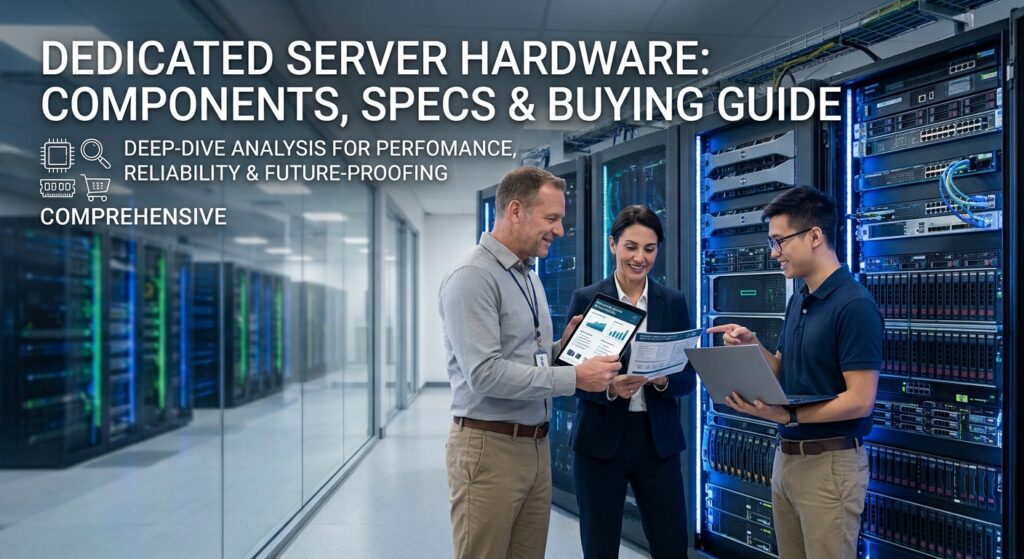
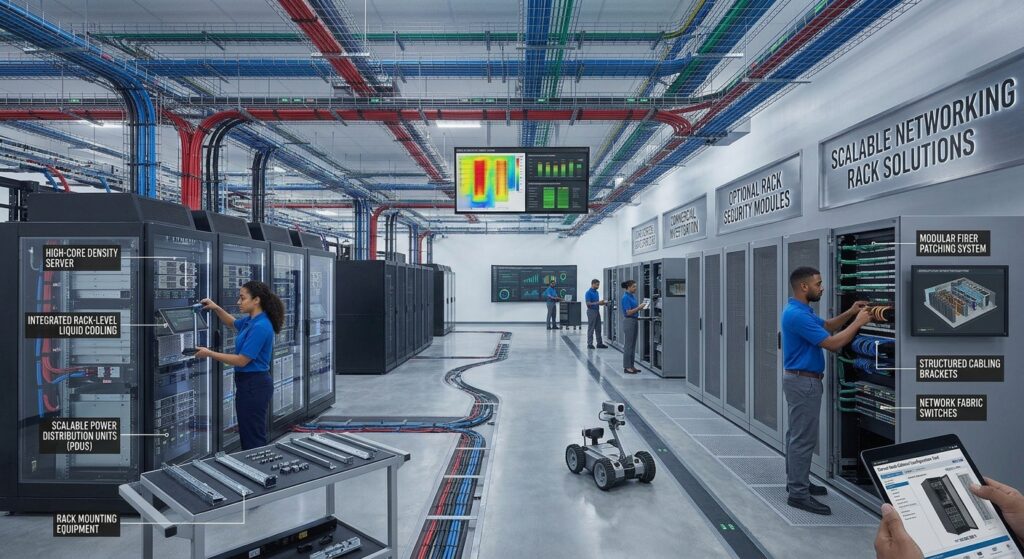
Data center rack systems play an important role in organizing, protecting, and managing enterprise IT equipment. Businesses use server rack cabinets and network rack enclosures to house servers, storage systems, switches, routers, power distribution units, and other essential infrastructure components.
Choosing the right rack system requires more than determining how many rack units are available. Organizations must also evaluate cabinet dimensions, equipment weight, mounting compatibility, airflow, cable management, physical security, power distribution, and future expansion requirements.
Different environments require different rack configurations. A corporate network closet may benefit from an open-frame rack, while a high-density data center may require heavy-duty server cabinet systems with integrated power and thermal management.
Understanding these differences helps IT managers, data center operators, and procurement specialists compare data center rack solutions and select equipment that meets their infrastructure requirements.
What Are Data Center Rack Systems?
Data center rack systems are physical structures designed to mount, organize, protect, and support IT equipment within server rooms, data centers, and network facilities.
They provide standardized mounting positions for compatible hardware while helping organizations manage space, airflow, electrical distribution, and cabling.
A typical data center rack may accommodate:
- Rack-mounted servers
- Enterprise storage systems
- Network switches
- Routers and firewalls
- Patch panels
- Rack-mounted UPS systems
- Power distribution units (PDUs)
- KVM switches
- Cable management accessories
- Environmental monitoring equipment
Most traditional enterprise IT racks use a 19-inch equipment mounting format based on the EIA-310 rack standard.
Equipment height is measured in rack units (U). One rack unit equals 1.75 inches (44.45 mm) of vertical mounting space.
For example, a 2U server occupies twice the vertical rack space of a 1U server. This measurement allows IT teams to calculate equipment capacity and plan rack layouts.
However, rack compatibility involves more than height and mounting width. Rail depth, rear clearance, mounting-hole patterns, equipment weight, and airflow requirements must also be considered.
Types of Data Center Rack Systems
Different rack designs serve different equipment types and deployment environments.
Understanding the available options helps businesses choose appropriate server rack cabinets and network rack enclosures.
1. Open-Frame Server Racks
Open-frame racks use a structural frame without enclosed side panels or doors.
They provide direct access to mounted equipment and are commonly used in controlled server rooms and network facilities.
Common characteristics include:
- Open structural design
- Front and rear mounting options, depending on the model
- Easy access to network equipment
- Flexible cable routing
- Reduced enclosure material
- Compatibility with various rack accessories
Advantages of Open-Frame Racks
Open-frame racks make equipment installation, inspection, and cable management easier because there are fewer physical obstructions.
They can also provide unrestricted access for airflow when installed in an appropriately cooled environment.
Limitations
Open-frame racks provide less physical protection against dust, accidental contact, and unauthorized access.
They are generally more appropriate for secured IT rooms than public or uncontrolled environments.
Common Applications:
- Network closets
- Telecommunications rooms
- Patch panel installations
- Small server rooms
- Structured cabling infrastructure
2. Enclosed Server Rack Cabinets
Enclosed rack cabinets surround mounted equipment with doors, side panels, and other enclosure components.
They are commonly used in enterprise data centers and colocation facilities where physical security, cable organization, and airflow management are important.
Common characteristics include:
- Front and rear doors
- Removable side panels
- Adjustable mounting rails
- Locking mechanisms
- Integrated cable management
- PDU mounting options
- Ventilated door configurations
Advantages of Enclosed Server Cabinets
Enclosed cabinets provide a more organized environment for servers, storage systems, and networking equipment.
They can also support controlled airflow arrangements and restrict physical access to installed equipment.
Limitations
Enclosed cabinets require appropriate ventilation and thermal planning.
Solid doors or poorly managed airflow can interfere with equipment cooling, depending on the cabinet and hardware design.
Common Applications:
- Enterprise data centers
- Colocation facilities
- Corporate server rooms
- Hosting environments
- High-density equipment deployments
3. Two-Post Network Racks
Two-post racks use two vertical mounting columns to support compatible networking and telecommunications equipment.
They are commonly used for lighter equipment such as patch panels, small switches, and cable distribution components.
Common characteristics include:
- Two vertical mounting posts
- Open access to equipment
- Smaller physical footprint
- Simplified network equipment installation
- Compatibility with suitable rack-mounted accessories
Advantages
Two-post racks can be economical for network installations where equipment does not require four-point support.
Their open design also makes cable access convenient.
Limitations
Two-post racks are not generally suitable for heavy or deep server equipment that requires front and rear support.
Proper anchoring and equipment weight limits are important considerations.
Common Applications:
- Telecommunications rooms
- Network distribution areas
- Patch panel installations
- Lightweight switch deployments
- Structured cabling systems
4. Four-Post Server Racks
Four-post racks provide front and rear mounting rails, supporting equipment from both ends.
They are widely used for rack-mounted servers, storage systems, UPS equipment, and other devices requiring additional structural support.
Common characteristics include:
- Four structural posts
- Front and rear mounting rails
- Adjustable equipment depth
- Higher equipment support flexibility
- Compatibility with server rail kits
- Options for open-frame or enclosed configurations
Advantages
Four-post systems provide additional mounting support for heavier and deeper equipment.
They also allow better compatibility with server rail assemblies and enterprise storage enclosures.
Common Applications:
- Enterprise server deployments
- Data center infrastructure
- Storage systems
- High-density computing
- Colocation facilities
5. Wall-Mount Rack Enclosures
Wall-mount enclosures are designed for environments where floor space is limited.
They are commonly used in branch offices, retail locations, classrooms, and smaller network installations.
Typical features include:
- Compact enclosure design
- Wall-mounting brackets
- Lockable front doors
- Network equipment mounting rails
- Cable entry options
- Limited equipment depth
Before selecting a wall-mounted rack, evaluate wall strength, equipment weight, mounting hardware, and service access.
Common Applications:
- Small business network installations
- Retail networking
- Branch office infrastructure
- Security camera equipment
- Edge networking
6. High-Density Data Center Rack Systems
High-density rack systems are designed to support heavier equipment, larger power requirements, and more demanding thermal management.
They are increasingly relevant for GPU servers, AI infrastructure, and high-performance computing environments.
Common features may include:
- Heavy-duty steel frames
- Increased load capacity
- Deeper mounting spaces
- Integrated vertical PDUs
- Advanced cable management
- Airflow containment
- Liquid cooling compatibility
- Environmental monitoring
- Electronic access control
The exact capabilities vary by cabinet design and configuration.
For high-density deployments, businesses should evaluate the entire rack ecosystem rather than selecting a cabinet based only on its physical dimensions.
Server Rack Cabinet Sizes and Dimensions
Rack dimensions are among the most important considerations when selecting data center rack systems.
A cabinet must accommodate the equipment’s height, width, depth, mounting hardware, cable connections, and required service clearance.
Understanding Rack Units (U)
Rack units measure the vertical mounting space available inside a rack.
One rack unit equals:
1U = 1.75 inches = 44.45 mm
Common equipment heights include:
| Rack Size | Height |
|---|---|
| 1U | 1.75 inches |
| 2U | 3.50 inches |
| 3U | 5.25 inches |
| 4U | 7.00 inches |
| 6U | 10.50 inches |
| 8U | 14.00 inches |
Common full-height rack configurations include 42U and 48U, although other sizes are available.
A 42U rack provides 73.5 inches of nominal vertical mounting space, while a 48U rack provides 84 inches.
The external cabinet height is greater because the frame, base, top structure, and other components occupy additional space.
Common Rack Cabinet Dimensions
Data center rack cabinets are available in different external widths and depths.
Common commercial configurations include:
| Cabinet Width | Typical Application |
|---|---|
| 600 mm | General server and network installations |
| 750 mm | Additional space for cable management and PDUs |
| 800 mm | High-cabling-density infrastructure |
Depth options vary by manufacturer and equipment requirements.
Common planning dimensions include:
- 800 mm
- 1,000 mm
- 1,200 mm
- 1,400 mm
These are examples of available cabinet dimensions rather than universal requirements.
For deeper modern server deployments, additional rear clearance may be needed for rail kits, power connections, and cable routing.
Eaton’s server rack buying guide recommends considering depths of 1,200 mm or greater for modern, deeper equipment and wider cabinets when cable volumes are high.
19-Inch Rack Mounting Standard
The 19-inch mounting format is widely used for enterprise servers, networking equipment, and rack accessories.
Compatibility is associated with the mounting rail geometry and hole patterns defined by applicable rack standards.
Before purchasing equipment, verify:
- Front mounting width
- Mounting-hole spacing
- Square-hole or threaded-hole compatibility
- Front and rear rail positioning
- Equipment depth
- Rail kit compatibility
A cabinet described as 19 inches wide does not necessarily have an external width of 19 inches. The 19-inch designation refers to the equipment mounting format.
Manufacturers may offer different external cabinet widths while maintaining compatible internal mounting arrangements.
Important Components of Server Cabinet Systems
A complete data center rack solution includes more than its structural frame.
Several additional components are important for equipment installation, power management, cooling, and maintenance.
1. Mounting Rails
Mounting rails support servers, storage enclosures, and other rack-mounted equipment.
Four-post rack systems commonly provide front and rear mounting rails.
Important considerations include:
- Adjustable rail depth
- Mounting-hole configuration
- Equipment weight support
- Rail kit compatibility
- Installation clearance
- Supported mounting hardware
Some equipment uses manufacturer-specific rail kits.
Buyers should verify that the selected rack supports the installation requirements of every device.
2. Rack Mounting Hardware
Rack mounting equipment secures devices to the cabinet.
Common accessories include:
- Cage nuts
- Mounting screws
- Threaded hardware
- Rail brackets
- Shelf supports
- Equipment mounting kits
- Cable support brackets
Square-hole mounting systems commonly use cage nuts and compatible screws.
Threaded-hole systems use mounting screws that match the rail threading.
Selecting compatible hardware helps reduce installation problems and prevents equipment from being mounted improperly.
3. Power Distribution Units (PDUs)
Rack PDUs distribute electrical power to installed equipment.
They connect to the facility’s electrical infrastructure and provide outlets for servers, switches, storage systems, and other rack devices.
Common PDU categories include:
Basic PDUs
Provide electrical outlets without advanced monitoring or remote switching features.
Metered PDUs
Provide information about electrical load and power consumption.
Monitored PDUs
Allow administrators to monitor power conditions remotely.
Switched PDUs
Provide outlet-level switching capabilities, depending on the product.
PDUs can be mounted horizontally or vertically.
Vertical PDUs can preserve usable rack units, while horizontal PDUs may be useful in shallower cabinets or smaller installations.
Important specifications include:
- Input voltage
- Current rating
- Outlet type
- Outlet count
- Power capacity
- Monitoring features
- Remote switching
- Redundancy requirements
Electrical compatibility and circuit capacity should be verified before installation.
4. Cable Management Systems
Cable management is essential for maintaining organized rack installations.
Poor cable routing can restrict airflow, complicate equipment maintenance, and increase the time required to identify connections.
Common rack cable management accessories include:
- Vertical cable managers
- Horizontal cable managers
- Cable management fingers
- Cable trays
- Rear routing channels
- Fiber management panels
- Cable support bars
- Strain-relief brackets
Power and network cables should be routed to minimize interference with airflow and equipment access.
Separate routing paths for power and data cabling may be useful depending on installation requirements.
5. Ventilated Doors and Panels
Enclosed server rack cabinets use different door and panel designs.
Perforated doors provide openings that support airflow through the enclosure.
Important considerations include:
- Door open-area percentage
- Front-to-rear airflow
- Side panel design
- Top panel ventilation
- Cooling system compatibility
- Equipment inlet and exhaust direction
The required ventilation depends on the equipment’s cooling design and the rack’s thermal environment.
A cabinet should not be assumed to provide sufficient cooling simply because it includes perforated doors.
6. Blanking Panels
Blanking panels cover unused rack spaces.
They help maintain controlled airflow by reducing the movement of hot exhaust air into equipment air intakes through open rack positions.
They also provide a more organized appearance and help prevent unused spaces from becoming unintended airflow paths.
Blanking panels are particularly useful in enclosed rack cabinets with front-to-back airflow.
7. Rack Shelves
Rack shelves support devices that do not have standard rack-mounting brackets.
Examples include:
- Small network appliances
- External modems
- Compact monitoring devices
- Desktop equipment
- Non-rackmount electronics
Shelves must be selected according to equipment dimensions, weight, and required support.
8. Security and Locking Systems
Physical security is an important consideration for enterprise server cabinet systems.
Common security features include:
- Lockable front doors
- Lockable rear doors
- Removable side panel locks
- Electronic access control
- Door access monitoring
- Tamper detection
For shared data center facilities, organizations may require individual cabinet access control and documented physical access procedures.
9. Environmental Monitoring
Environmental monitoring equipment helps track conditions inside server cabinets.
Common monitoring devices include:
- Temperature sensors
- Humidity sensors
- Airflow sensors
- Water leak detectors
- Door status sensors
- Power monitoring devices
Some rack systems can integrate these devices with DCIM platforms.
Monitoring data helps administrators identify environmental problems before they affect connected equipment.
Rack Load Capacity: Static vs. Dynamic Ratings
Rack load capacity is one of the most important specifications when purchasing server rack cabinets.
A rack must support the combined weight of all installed equipment and accessories.
However, manufacturers may specify different load ratings depending on how the rack is used.
Static Load Capacity
Static load capacity describes the maximum supported equipment weight when the rack is stationary, subject to the manufacturer’s specified installation conditions.
Dynamic Load Capacity
Dynamic load capacity refers to supported loading under defined conditions when the rack is moved or rolled.
Dynamic ratings are generally different from static ratings.
Buyers should verify both ratings if the rack will be transported with equipment installed.
Equipment Weight Planning
A rack load calculation should include:
- Servers
- Storage arrays
- UPS systems
- Batteries
- Network switches
- PDUs
- Shelves
- Mounting accessories
- Cable management components
Heavy devices such as rack-mounted UPS systems are commonly placed toward the lower portion of the cabinet to help maintain stability.
Never exceed the manufacturer’s supported load rating.
For example, Chatsworth Products publishes a 5,000 lb static and 4,000 lb dynamic load rating for its ZetaFrame cabinet system. These figures apply to that specific product, not to all server racks.
Airflow and Cooling in Data Center Rack Solutions
Airflow management is a critical part of server rack design.
Servers and storage systems generate heat during operation, so their cooling requirements must be considered when selecting rack enclosures.
Many data center environments use front-to-back airflow.
Cool air enters through the front of the equipment, passes through internal components, and exits as heated air through the rear.
Rack configurations should support this airflow direction.
Hot Aisle and Cold Aisle Layouts
Hot aisle and cold aisle arrangements organize rack rows to manage airflow.
Cold Aisle
The cold aisle supplies conditioned air to the front of server equipment.
Hot Aisle
The hot aisle collects heated air exhausted from equipment.
Separating hot and cold air can improve cooling predictability and reduce unwanted air mixing.
Airflow Management Accessories
Useful accessories include:
- Perforated front and rear doors
- Blanking panels
- Airflow baffles
- Vertical exhaust ducts
- Hot aisle containment
- Cold aisle containment
- Rack-level cooling components
The appropriate design depends on rack density, cooling infrastructure, and equipment airflow characteristics.
Liquid Cooling Compatibility
Modern high-density systems, particularly GPU and AI servers, may require liquid cooling.
Some rack systems are designed to integrate with direct-to-chip cooling and other liquid cooling technologies.
Before purchasing a rack for liquid-cooled equipment, verify:
- Cooling distribution compatibility
- Available space for cooling components
- Pipe routing
- Service access
- Leak detection requirements
- Facility water or coolant infrastructure
- Manufacturer installation guidelines
Rack-level compatibility alone does not guarantee that an entire facility is ready for liquid cooling.
High-Density and AI Data Center Rack Systems
AI and high-performance computing workloads are increasing the need for specialized data center rack solutions.
GPU servers can create substantial power and thermal demands within relatively small physical spaces.
This makes rack design particularly important.
High-density rack systems may include:
- Reinforced structural frames
- High static and dynamic load ratings
- Increased cabinet depth
- Integrated vertical PDUs
- High-capacity electrical distribution
- Advanced cable management
- Liquid cooling integration
- Environmental monitoring
- Electronic access control
Some manufacturers also offer open rack platforms designed around specialized standards such as Open Compute Project Open Rack specifications.
These systems should be evaluated separately from traditional 19-inch rack cabinets because their mounting architecture and infrastructure integration may differ.
Organizations planning AI infrastructure should select rack systems based on the complete server and facility design.
How to Choose the Right Data Center Rack Systems
Selecting the right data center rack system requires evaluating the physical equipment, operating environment, and future expansion requirements.
The following considerations can help businesses compare available products.
Step 1: Identify the Equipment Requirements
Create a list of all equipment that will be installed.
Include:
- Server models
- Storage systems
- Network switches
- UPS equipment
- PDUs
- Patch panels
- Shelves
- Cable management accessories
Review the mounting requirements and manufacturer documentation for every device.
Step 2: Determine Rack Height
Calculate the total rack units required by the equipment.
Include additional space for:
- Future servers
- Network equipment
- Shelves
- Blanking panels
- Cable management
- Rack-mounted accessories
Avoid selecting a cabinet that provides only the minimum space required for the initial installation.
Step 3: Select Cabinet Width and Depth
Verify that the cabinet accommodates the deepest installed device and its mounting rails.
Include sufficient clearance for rear power connections, networking cables, and maintenance access.
Wider cabinets may be useful when installations require substantial vertical cable management or multiple PDUs.
Step 4: Check Load Capacity
Calculate the total equipment weight.
Compare the result with the manufacturer’s static load rating and, where relevant, its dynamic load rating.
Also verify floor-loading requirements and the suitability of the installation surface.
Step 5: Evaluate Airflow Requirements
Check the airflow direction of installed equipment.
Choose an enclosure with suitable ventilation and consider blanking panels or containment accessories where necessary.
High-density systems may require additional thermal management planning.
Step 6: Review Power Distribution
Determine the appropriate PDU type and mounting position.
Check electrical ratings, available outlets, power redundancy, and access to connected devices.
Step 7: Evaluate Security and Accessibility
Review door locking, side panel access, equipment servicing, rear clearance, and physical access requirements.
For colocation environments, individual cabinet security may be particularly important.
Step 8: Compare Future Expansion Options
Choose a rack that supports anticipated infrastructure growth.
Consider additional mounting space, adjustable rails, extra PDU capacity, cooling compatibility, and available accessories.
A rack system should remain useful as servers and networking equipment are refreshed.
Leading Data Center Rack Manufacturers and Solutions
Several manufacturers provide server rack cabinets, network rack enclosures, and supporting infrastructure equipment.
The following brands offer useful starting points for a purchasing comparison.
1. Vertiv Rack Systems
Vertiv provides rack and enclosure products designed for enterprise data centers, colocation facilities, and high-density infrastructure.
Its portfolio includes:
- Vertiv VR Rack
- Vertiv Rack Essential
- Vertiv Rack Data Center Essential
- Vertiv Rack Extreme
- Vertiv Rack Colocation
- Vertiv Rack Seismic
Vertiv racks support different equipment configurations, including servers, switches, storage systems, UPS equipment, and KVM devices.
Important evaluation considerations include:
- Cabinet dimensions
- Load capacity
- Airflow
- Rear access
- Cable management
- PDU compatibility
- Seismic options
- Rack accessories
Official website:
2. APC NetShelter by Schneider Electric
APC NetShelter is a rack and enclosure product family offered by Schneider Electric.
Its portfolio includes open-frame racks, enclosed server cabinets, wall-mount enclosures, and specialty solutions.
Important product categories include:
- NetShelter SX
- NetShelter SV
- NetShelter open-frame racks
- NetShelter wall-mount enclosures
- Specialty enclosures
- Rack PDUs
Evaluation considerations include:
- Cabinet size
- Equipment compatibility
- Door and panel design
- Load capacity
- PDU integration
- Security
- Cooling accessories
Official website:
3. Eaton Server Rack Systems
Eaton provides server racks, network enclosures, cable management, and airflow management equipment.
Its portfolio includes:
- SmartRack enclosures
- Heavy-duty SmartRack
- Paramount enclosures
- Wall-mount racks
- Open-frame racks
- Rack accessories
Eaton’s heavy-duty and premium rack families address more demanding server and high-density applications.
Important evaluation considerations include:
- Rack depth
- Structural strength
- Equipment load ratings
- Cable management
- Airflow management
- UPS integration
- PDU placement
Official website:
4. Chatsworth Products (CPI)
Chatsworth Products provides server cabinets, network enclosures, open rack systems, and integrated data center infrastructure solutions.
Important product families include:
- ZetaFrame Cabinet System
- SeismicFrame Cabinet System
- GlobalFrame Cabinets
- Open Rack V3 infrastructure
- Rack cable management accessories
Its ZetaFrame cabinet system integrates options for power distribution, thermal management, environmental monitoring, and cabinet access control.
It is designed for conventional enterprise and high-density AI and HPC deployments.
Important evaluation considerations include:
- Static and dynamic load capacity
- Rack dimensions
- Seismic requirements
- PDU integration
- Cooling compatibility
- Cable management
- Environmental monitoring
Official website:
5. Rittal Server Rack Enclosures
Rittal provides network and server rack enclosures for different data center and industrial IT environments.
Its portfolio includes:
- TS IT Pro
- TS IT Colo
- TS IT High Density
- TS IT Industry 4.0 / Edge
- OCP ORV3 rack systems
- Rack accessories
Rittal products can be evaluated for enterprise server installations, network infrastructure, edge computing, and specialized environments.
Important evaluation considerations include:
- Cabinet dimensions
- Mounting options
- Equipment compatibility
- Accessory integration
- Climate control
- Power distribution
- Physical protection
Official website:
Data Center Rack Manufacturer Comparison
| Manufacturer | Main Product Family | Main Evaluation Focus |
|---|---|---|
| Vertiv | VR Rack | Enterprise and high-density infrastructure |
| Schneider Electric | APC NetShelter | Server and network rack enclosures |
| Eaton | SmartRack and Paramount | IT racks and heavy-duty enclosures |
| Chatsworth Products | ZetaFrame | Integrated cabinet and high-density solutions |
| Rittal | TS IT | Server, network and specialized enclosures |
These manufacturers offer different configurations, options, and accessories.
Products should be compared using equivalent dimensions, load ratings, mounting requirements, airflow characteristics, and included components rather than brand names alone.
Understanding Total Cost of Ownership for Server Rack Cabinets
A server rack cabinet is a long-term infrastructure asset.
Unlike servers and networking devices, which may be replaced more frequently, rack systems can remain in service across multiple hardware refresh cycles.
The total cost of ownership (TCO) should therefore include more than the initial cabinet purchase price.
Important cost categories include:
| Cost Category | Items to Consider |
|---|---|
| Rack Cabinet | Frame, doors and panels |
| Mounting Hardware | Rails, cage nuts and shelves |
| Power Distribution | Rack PDUs and accessories |
| Cable Management | Vertical and horizontal managers |
| Cooling | Fans, containment and cooling accessories |
| Security | Locks and access control |
| Installation | Assembly and equipment mounting |
| Transportation | Delivery and equipment handling |
| Maintenance | Replacement components and service |
| Expansion | Additional cabinets and accessories |
A lower-cost rack may become more expensive if it cannot accommodate future servers or requires additional accessories for proper cooling and cable management.
Businesses should compare complete rack configurations instead of evaluating only the base enclosure.
Common Mistakes When Purchasing Data Center Rack Solutions
Selecting server rack cabinets without reviewing the complete installation requirements can create unnecessary expenses and operational problems.
1. Choosing a Rack Based Only on Height
A 42U or 48U rating does not guarantee that a cabinet can accommodate the required server depth, mounting rails, PDUs, and cables.
Dimensions and internal layout are equally important.
2. Ignoring Equipment Weight
Rack load capacity must be compared with the complete installed equipment weight.
UPS batteries and large storage systems can contribute substantial weight.
3. Overlooking Rear Clearance
Modern servers may require additional space for rail assemblies, cables, and power connections.
Insufficient clearance can complicate installation and maintenance.
4. Choosing the Wrong Rack Type
Two-post racks are not suitable for every server installation.
Heavy and deep equipment generally requires an appropriate four-post support arrangement.
5. Ignoring Airflow Management
Poor cable routing and uncovered rack spaces can interfere with cooling.
Use suitable cable managers and blanking panels where required.
6. Forgetting PDU Placement
Rack PDUs need suitable mounting positions and accessible outlets.
Their location should be considered before filling the rack with equipment.
7. Ignoring Physical Security
Unsecured cabinets may expose critical IT equipment to unauthorized access.
Evaluate locking systems, side panel security, and access control requirements.
8. Buying Without Planning for Expansion
Rack systems should support future hardware upgrades and additional infrastructure components.
Selecting a cabinet with sufficient flexibility can reduce future replacement and installation costs.
Conclusion
Data center rack systems provide the physical foundation for organizing and supporting enterprise servers, storage systems, networking equipment, and power distribution components.
The right rack solution depends on equipment dimensions, load capacity, mounting compatibility, airflow, cable management, physical security, and expansion requirements.
Open-frame racks, enclosed server cabinets, two-post racks, four-post systems, and wall-mount enclosures each serve different deployment environments.
Vertiv, Schneider Electric, Eaton, Chatsworth Products, and Rittal provide rack and enclosure solutions that businesses can include in their purchasing comparisons.
Before purchasing, evaluate the complete equipment layout, verify mounting compatibility, calculate total weight, plan airflow, and review power distribution requirements.
A properly selected rack system can support multiple generations of IT equipment while improving infrastructure organization, serviceability, and long-term data center flexibility.
Frequently Asked Questions
1. What are data center rack systems?
Data center rack systems are physical structures used to mount, organize, and protect servers, storage equipment, networking devices, and other IT infrastructure components.
2. What is the standard server rack size?
Many enterprise IT racks use a standard 19-inch equipment mounting format. Common cabinet heights include 42U and 48U, while external width and depth vary by manufacturer and application.
3. What does 42U mean in a server rack?
42U refers to 42 rack units of usable vertical equipment mounting space. Since one rack unit equals 1.75 inches, a 42U rack provides 73.5 inches of nominal mounting height.
4. What is the difference between a server rack and a network rack?
Server racks are commonly designed for deeper and heavier computing equipment, while network racks may prioritize access to switches, patch panels, and cabling. However, many modern enclosures support both server and networking equipment.
5. What is the difference between two-post and four-post racks?
Two-post racks use two vertical mounting columns and are commonly used for lighter networking equipment. Four-post racks provide front and rear mounting support and are suitable for heavier or deeper equipment.
6. How deep should a server rack cabinet be?
Rack depth depends on server dimensions, rail kit requirements, rear cable clearance, PDU placement, and maintenance access. Deeper cabinets may be necessary for modern enterprise servers.
7. What is rack load capacity?
Rack load capacity describes the equipment weight that a rack can support under specified conditions. Static load refers to stationary use, while dynamic load applies to supported movement conditions.
8. What is a rack PDU?
A rack power distribution unit distributes electricity to servers, network switches, storage equipment, and other devices inside a cabinet.
9. Why is cable management important in server cabinets?
Cable management helps maintain organized connections, preserve airflow, simplify troubleshooting, and improve equipment maintenance access.
10. What is an enclosed server rack?
An enclosed server rack is a cabinet with doors and side panels designed to support physical security, equipment organization, and controlled airflow.
11. What are high-density data center rack systems?
High-density rack systems are designed to support heavier equipment, higher power requirements, advanced cooling configurations, and greater infrastructure integration.
12. Which companies manufacture data center rack cabinets?
Vertiv, Schneider Electric, Eaton, Chatsworth Products, and Rittal are established manufacturers offering server racks, network enclosures, and related data center infrastructure equipment.
13. Are all 19-inch rack cabinets compatible with every server?
No. Although equipment may use a common 19-inch mounting format, compatibility also depends on rail depth, hole configuration, chassis dimensions, weight, and manufacturer installation requirements.
Sources and References
- Eaton – Server Rack Buying Guide
https://www.eaton.com/us/en-us/products/server-racks-enclosures-airflow-management/Enclosures/server-rack-buying-guide.html - Eaton – Server Rack and Enclosure Comparison
https://www.eaton.com/us/en-us/products/server-racks-enclosures-airflow-management/Enclosures/eaton-server-rack-comparison.html - Vertiv – Vertiv Rack Systems
https://www.vertiv.com/en-us/products-catalog/facilities-enclosures-and-racks/racks-and-containment/vertiv-rack/ - Schneider Electric – APC NetShelter
https://www.se.com/us/en/work/products/master-ranges/netshelter/ - Schneider Electric – IT Racks and Accessories
https://www.se.com/us/en/product-category/7500-it-racks-and-accessories/ - Chatsworth Products – Server and Network Cabinets
https://www.chatsworth.com/en-us/products/cabinets-and-enclosures/servers-and-network-cabinets/ - Chatsworth Products – ZetaFrame Cabinet System
https://www.chatsworth.com/en-us/products/cabinets-and-enclosures/servers-and-network-cabinets/zetaframe-cabinet-system/ - Rittal – Network and Server Rack Enclosures
https://www.rittal.com/us-en_US/products/PG20231215ITI101/PG20240402ITI203 - Cisco – General Requirements for Cabinets and Racks
https://www.cisco.com/c/en/us/td/docs/switches/datacenter/nexus9000/hw/n9348y12c-se1/cisco-n9348y12c-se1-switch-installation-guide/rack-specifications/general-requirements-for-cabinets-and-racks.html - IBM – General Requirements for Cabinets and Racks
https://www.ibm.com/docs/en/storage-networking?topic=crr-general-requirements-cabinets-racks-1